Custom operational software built around your business.
Stop forcing your operation into someone else's workflow.
We build custom software around the way your business actually works,
including the tools and workflows you can't find anywhere else.
No sales calls, fully async
Built around your operationUnlimited usersClear setup pricing
0
Free intake
0
Typical response time
0
To start your wireframe
0
Sales calls, ever
Sound familiar?
Software is supposed to make the operation easier.
Instead, businesses keep running into the same problems:
too many steps, rigid workflows, missing functionality
and expensive workarounds.
01
"Why does this take so many steps?"
Too much clicking, duplicate entry, repetitive admin
and simple processes that take longer than they should.
→
02
"Why can't the software work the way we actually work?"
Your field process, dispatch, permissions, reporting or internal workflow
doesn't match the way the platform expects you to operate.
→
03
"Why can't it do the one thing we actually need?"
The feature almost exists. The data is there.
But the exact thing your operation depends on isn't.
→
04
"Why do we need another app or workaround for this?"
Another spreadsheet. Another subscription.
Another group text. Another process your team has to remember.
→
05
"Why are we paying this much and still fighting the software?"
More seats. More add-ons. More cost.
And your team is still adapting to the system.
→
Or maybe you can't put your finger on it
"I just know this process sucks."
That's enough.
You don't need to know what software should fix it.
Show us what's happening now.
That's where custom starts to matter
Most software gives you its workflow.
We build yours.
Off-the-shelf platforms have to build for thousands of businesses.
We only have to build for yours.
Need the normal stuff?
Customers, jobs, scheduling, invoicing and reporting.
That's the baseline.
Need it handled differently?
Then we build the workflow around the way your operation actually works.
Need something nobody offers?
That's exactly where custom software starts to matter.
This is what custom looks like
Different businesses need different software.
Not another reskinned dashboard. We build the workflows, tools, interfaces and customer experiences around the way the business actually operates.
Built for a different operation
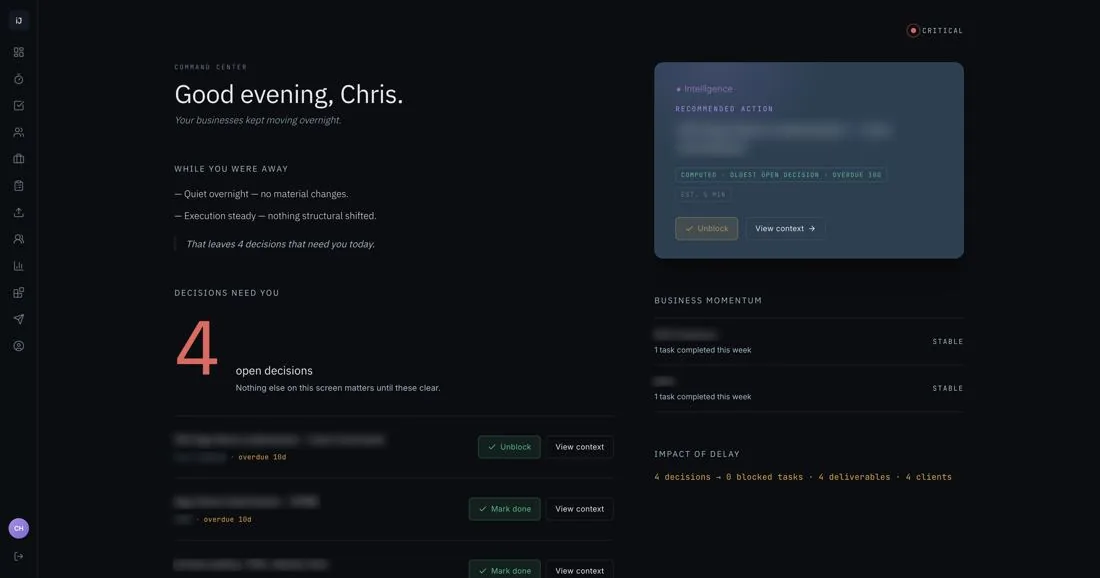
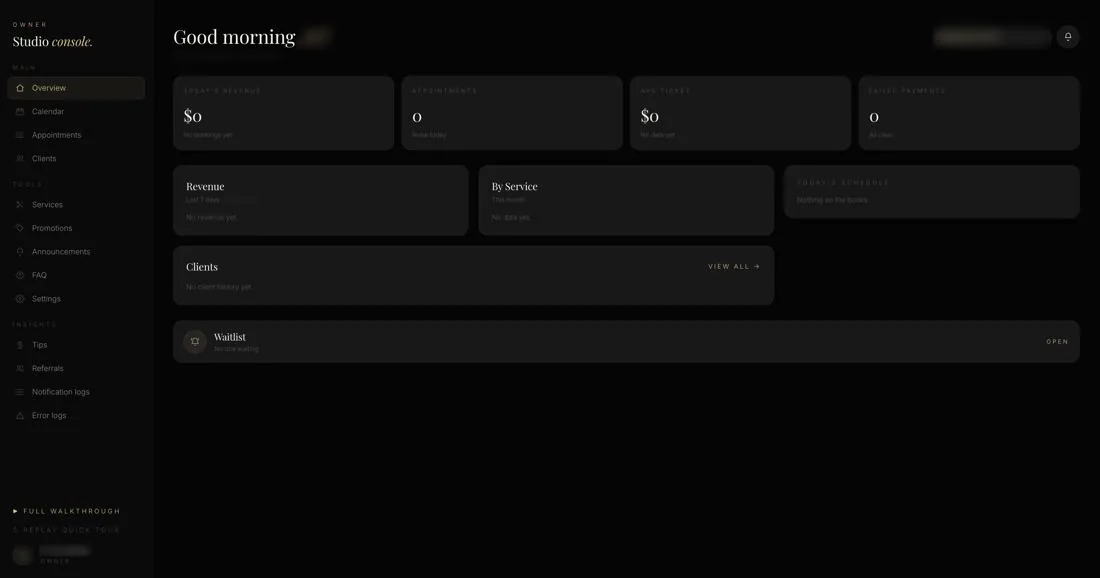
An operations system that tells you what needs attention.
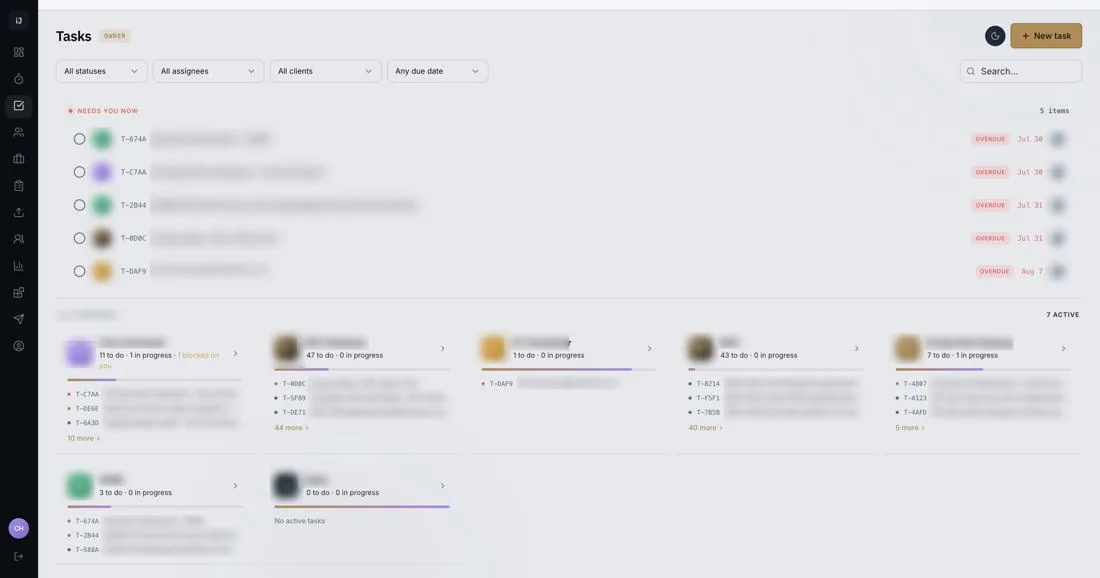
Decisions, blocked work, business momentum and recommended actions are surfaced around the operator, not buried inside a generic dashboard. Task ownership, workload and priorities are organized the way the operation actually runs.
Same idea. Completely different look.
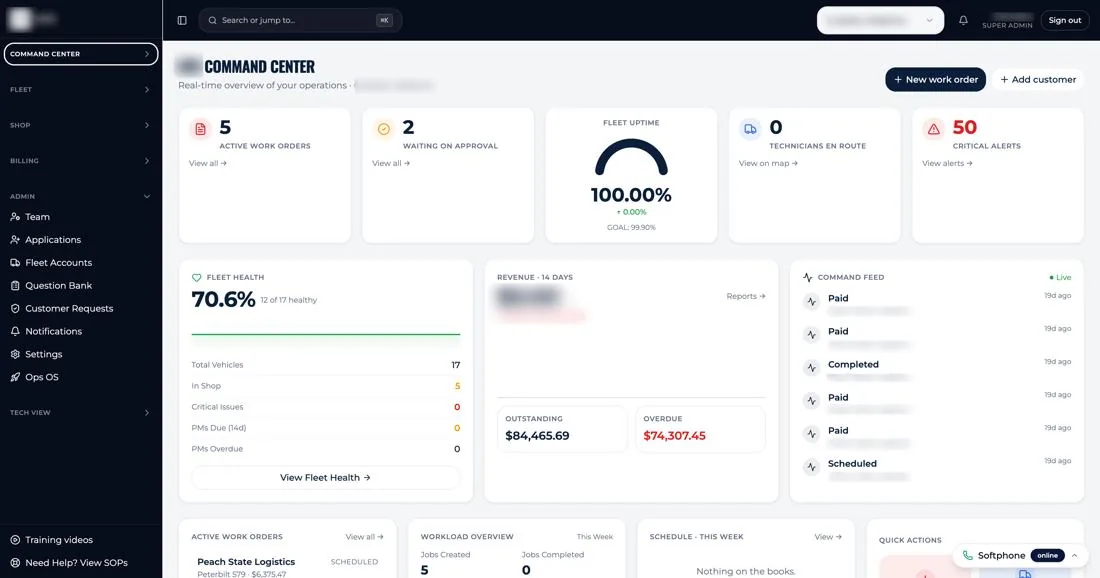
A fleet operation shouldn't run inside a generic help-desk tool.
Fleet health, revenue, active work orders and technician status live on one board, built around how a fleet business actually watches its day, not retrofitted from someone else's template.
One business. One connected system.
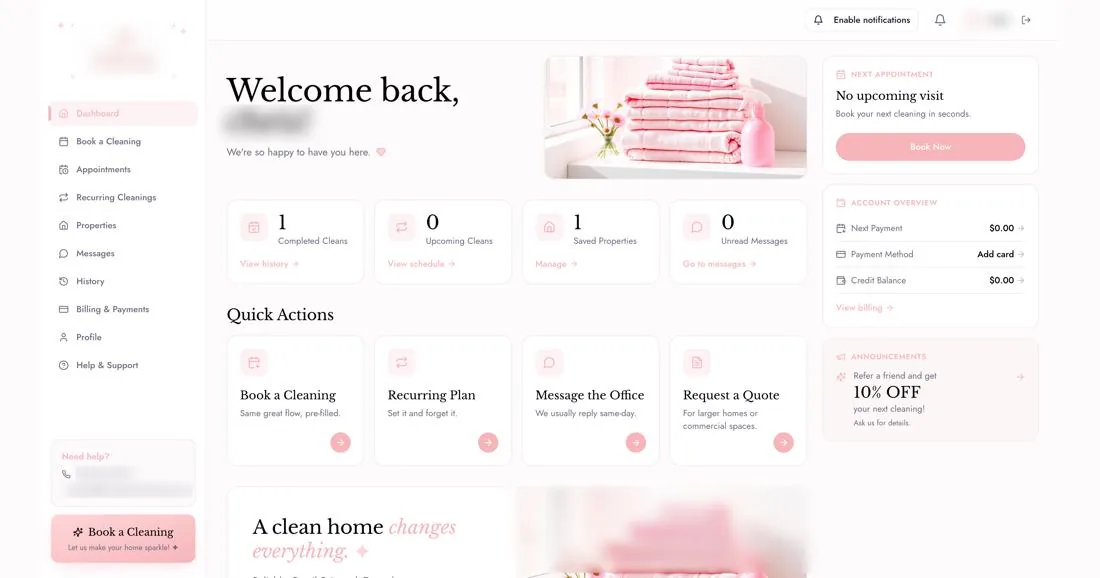
The customer experience can be custom too.
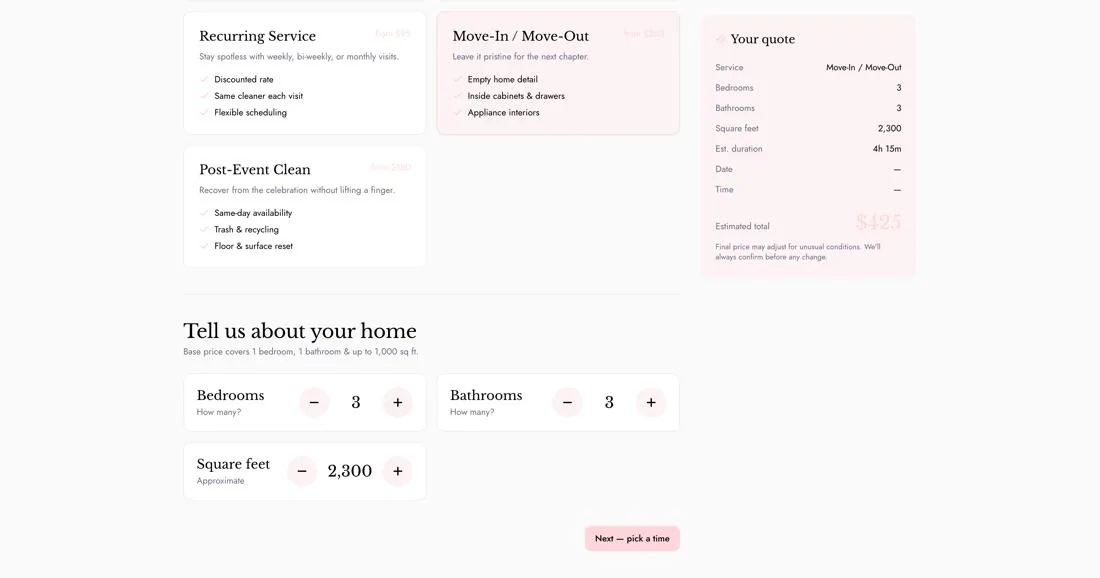
Booking, recurring service, an instant quote calculator and account activity are all designed as part of the same workflow, not bolted-on booking widgets.
Same idea. Completely different business.
Custom doesn't mean every system looks the same.
A salon owner shouldn't be working inside software designed for a field service company. The tools, information and experience should fit the business.
INTelliJence OS
Built around how you work.
The point isn't to give every customer the same software. It's to give each business the system its operation actually needs.
Pricing
Custom software without the traditional custom-software price.
Your starting tier is based on the complexity of what we're building,
not how many people use it.
Essential
A focused build or a simpler operational workflow.
$500 setup
$149 / month
Focused operational system
Custom workflow
Unlimited users
Hosting & maintenance
Ongoing support
Most businesses start here
Operations
Multiple connected workflows, custom functionality and broader operational systems.
$1,500 setup
$249 / month
Multiple connected workflows
Custom functionality
Unlimited users
Hosting & maintenance
Ongoing support
Advanced
Complex operations, specialized tools, deeper integrations or custom architecture.
$3,000+ setup
$499+ / month
Complex operational systems
Specialized internal tools
Advanced integrations
Unlimited users
Hosting, maintenance & support
Unlimited users · Hosting · Maintenance · Support
And you don't pay the full setup fee upfront.
How the setup fee works
Start for $250.
Pay the rest after you approve the direction.
You don't have to pay the entire setup fee before seeing where we're going.
The same setup fee is simply split into two payments.
To start
$250
We map the direction and show you the capabilities.
Once we review your intake and confirm the project is a fit,
the first $250 of your setup fee starts the planning work:
the structure of every screen you'll need and a preview of the actual system's direction.
Full system scope & structure
Every screen and module mapped
A visual preview of the direction & capabilities
After you approve
Then we build it.
If the direction looks right, you pay the remaining setup balance
and development begins.
The $250 is part of your setup fee, not an additional charge.
It's non-refundable once work begins: it covers the design time we spend turning your intake into a real scope, workflow and wireframe, whether or not you move forward afterward.
Operations setup
$1,500
=
To start
$250
+
After approval
$1,250
No sales calls. Just an async process, start to finish.
How it works
Custom software without the sales process.
01
Free intake
Tell us what's not working.
02
We confirm fit
We make sure it's something we can take on.
03
$250 to start
Scope, workflow and initial wireframe.
04
You approve
Pay the remaining setup balance.
05
We build
Development and implementation begin.
Still fighting your software?
Show us where.
You don't need to know what software to build.
Just show us what isn't working today.
No sales calls, fully async
Prefer to just reach out?
Contact us directly.
Skip the intake if you'd rather just send us a note. A real person reads every message.
Something went wrong. Please email contact@intjsolutions.com.
Thanks, your message is in. We usually reply within 4 business hours.
Ready to start?60-second assessment, no sales call
What industry best describes your business?
Takes about a minute.
How big is your operational team?
Takes about a minute.
What's the biggest problem with the software you use now?
Pick the one that stings most.
Where should we send your operational review?
We'll use this to save your assessment and send your recommendations.
Please enter your name and a valid work email address.
Your information stays private. No spam.
Here's what we'd build for you.
Your Operational Review and Stage 1 Wireframe Plan
A written assessment of how your operation runs, where it's losing time, and initial wireframes mapping the system we would build for you.
$250 to start
Applied in full as a credit toward your build. Refunded if we review your intake and determine we can't build what your operation needs. Your review and wireframe plan are yours to keep either way.
Saved. We'll email your intake link so you can pick this back up later.
One quick confirmation.
Your $250 deposit reserves a build evaluation slot and covers your Operational Review and Stage 1 Wireframe Plan.
Name—Email—Industry—Due today$250 deposit, credited toward your build
Checkout didn't open. Please try again or email contact@intjsolutions.com.
After payment you'll complete a short project intake, about 10-15 minutes. Your review is built from those answers.